
A Detailed Guide by Sri Mariyammal Packers & Movers
Office relocation requires careful planning and precise execution, especially when it involves computers, electronic devices, and sensitive equipment. Unlike home shifting, office moves include items that are not only fragile but also crucial for business operations. A small mistake can lead to system damage, data loss, or costly repairs.
This is why professional packers and movers play an important role in commercial shifting. Companies like Sri Mariyammal Packers & Movers follow well-structured methods, specialized packing procedures, and secure handling techniques to ensure office computers and equipment reach the new location safely and on time.
In this guide, we explain exactly how professional movers handle office electronics during relocation.
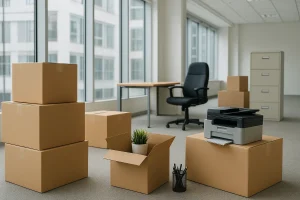
Packers and Movers in Kumbakonam
1. Conducting a Pre-Move Assessment
Before the actual packing begins, our team performs a detailed walkthrough of the office space. This assessment helps us:
Understand the types and quantity of computers
Identify delicate equipment like servers, printers, and scanners
Check the cabling structure
Estimate packing materials needed
Plan loading and transport layout
This ensures that every computer, monitor, and device receives the right packing method and the correct level of protection.
2. Proper Shutdown and Disconnection Procedures
Careless shutdown or disconnection can damage internal components. At Sri Mariyammal Packers & Movers, our team follows a systematic approach:
All systems are properly shut down
Power cables are disconnected safely
Peripherals such as mouse, keyboard, and USB devices are removed
Cables are labeled and tied separately
Devices are cooled before packing
This prevents overheating, wire damage, and confusion when setting up the systems again.
3. Using High-Quality, Anti-Static Packing Materials
Computers, processors, and electronic boards are extremely sensitive to static electricity. That’s why professional packers use anti-static materials, which protect devices from internal damage.
We pack office equipment using:
Anti-static bubble wrap
Anti-static foam sheets
High-density cushioning
Double-corrugated carton boxes
Corner protectors for monitors
Protective covers for CPUs
Thick wrapping for printers and scanners
These materials keep dust, moisture, and shock away from your expensive office equipment.
4. Packing Monitors With Layered Protection
Monitors are one of the most fragile components in an office setup. They require careful handling and strong protective layers.
We use the following method:
Wrap the screen with soft foam to prevent scratches
Add bubble wrap for shock absorption
Use cardboard sheets for additional support
Place monitors vertically inside customized boxes
Add cushioning at the bottom and sides
This ensures the screen remains stable during long-distance travel and doesn’t crack under pressure.
5. CPU and Workstation Handling
The CPU contains critical components such as the motherboard, RAM, processors, and storage drives. Its protection requires special care.
Our technique includes:
Wrapping the CPU in anti-static bubble wrap
Securing sharp edges with foam protectors
Cushioning inside high-strength cartons
Labeling the box to indicate fragile content
Proper placement inside the vehicle to avoid vibration damage
We ensure that no movement occurs inside the box, keeping the internal hardware safe throughout transport.
6. Safe Packing of Printers, Scanners, and Office Machines
Printers and scanners have delicate mechanical and ink components. Mishandling can cause alignment issues or internal damage.
At Sri Mariyammal Packers & Movers, we:
Remove ink cartridges before packing
Secure movable parts
Wrap the machine in thick bubble wrap
Use sturdy cartons or wooden crates for heavy machines
Label and load them in the upright position
This prevents leakage, loosening of internal parts, and physical damage.
7. Protecting Servers and Networking Equipment
Servers are the heart of any office, and their safety is the top priority during relocation.
Our approach includes:
Anti-static wrapping
Foam padding for server racks
Wooden crating for sensitive units
Careful labeling and cable documentation
Vehicle placement away from heavy goods
Vibration control techniques inside the truck
We also coordinate with the office IT team to ensure safe disconnection and organized reinstallation.
8. Labeling and Inventory Management
One of the biggest challenges in office relocation is keeping track of all components. A missing cable, unlabeled monitor, or misplaced device can delay business operations.
To avoid confusion, we:
Label each computer and accessory
Group items department-wise
Mark fragile boxes clearly
Maintain a digital or paper inventory list
Use color codes for quick identification
This ensures that everything reaches the correct department and workstation in the new office.
9. Secure Loading Techniques for Electronics
Packing alone is not enough. The way equipment is loaded into the vehicle decides how well it withstands the journey.
Our loading process includes:
Placing electronic boxes on top, away from heavy items
Securing them using belts and straps
Ensuring no item slides or shifts during movement
Using high-quality padding between stacked items
Avoiding exposure to heat or moisture
These techniques ensure zero damage even on long-distance routes.
10. Controlled and Safe Transportation
During transport, computers and office machines must be kept in stable, shock-free conditions. Sri Mariyammal Packers & Movers ensures:
Smooth driving practices
Secured placement with minimal vibration
Weather-protected vehicle conditions
Regular checks during long-distance transit
We maintain strict handling protocols throughout the journey to protect your office equipment from accidental damage.
11. Organized Unloading and Setup Support
Once at the new location, our team unloads and places the boxes carefully according to:
Departments
Workstations
Equipment categories
We also assist in:
Unpacking
Reinstallation guidance
Arranging machines in correct positions
Ensuring secure placement for monitors and CPUs
This allows your office to resume work quickly and efficiently.
Final Thoughts
Relocating office computers and equipment is not a simple task. It requires precision, expertise, and the right packing materials. Any mistake can lead to costly repairs, loss of important data, or downtime in business operations.
By choosing Sri Mariyammal Packers & Movers, you get:
Professional-grade packing materials
Anti-static protection for electronics
Skilled handling of equipment
Detailed labeling and documentation
Safe and shock-free transport
Organized setup support at the new office
Our specialized methods ensure that your office move is safe, smooth, and highly efficient.